
Hi there! Thanks for stopping by to reactivate your Arsenal Subscription! You’re doing so just in the knick of time.
Now, to reactivate your account in 2 minutes or less…
STEP 1
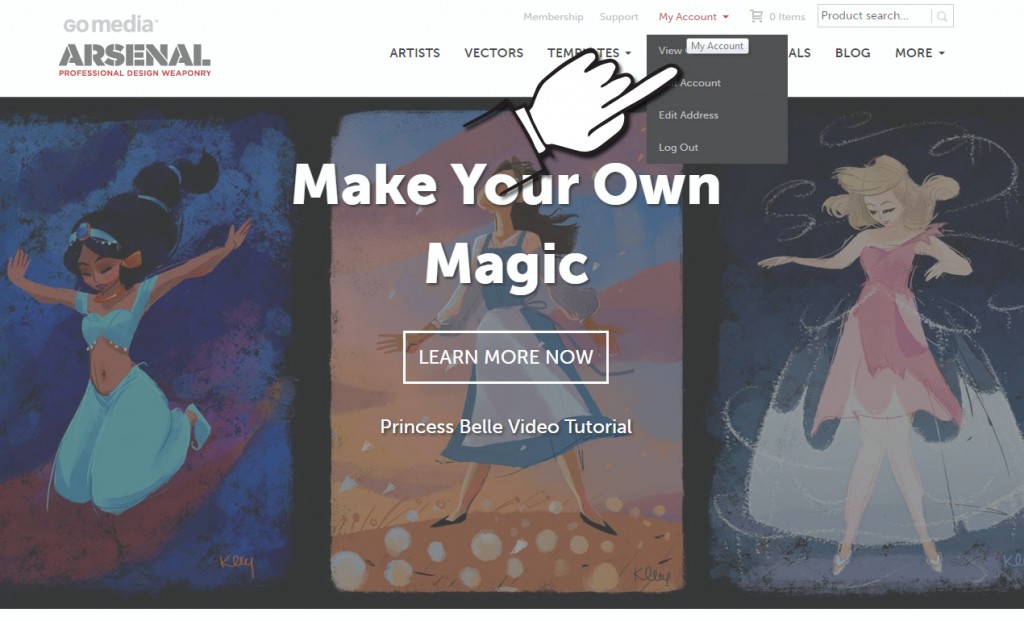
Log into the Arsenal, then head to “My Account.”
STEP 2
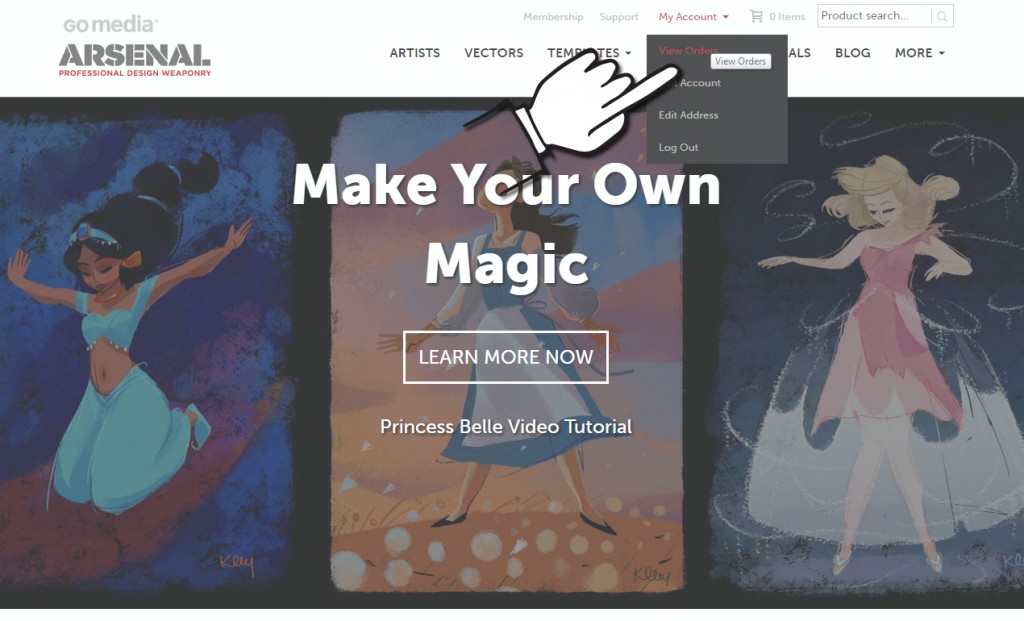
From the drop-down, select “View Orders.”
STEP 3
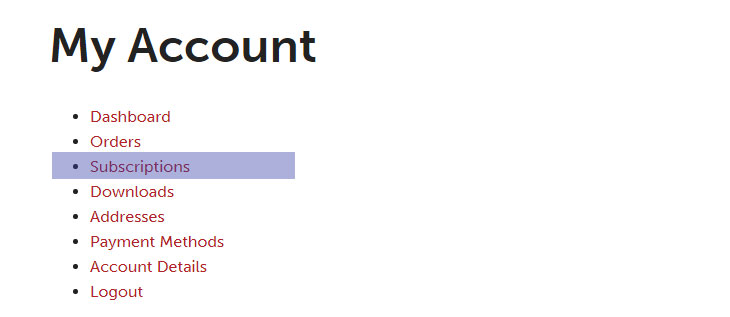
Click on Subscriptions.
STEP 4
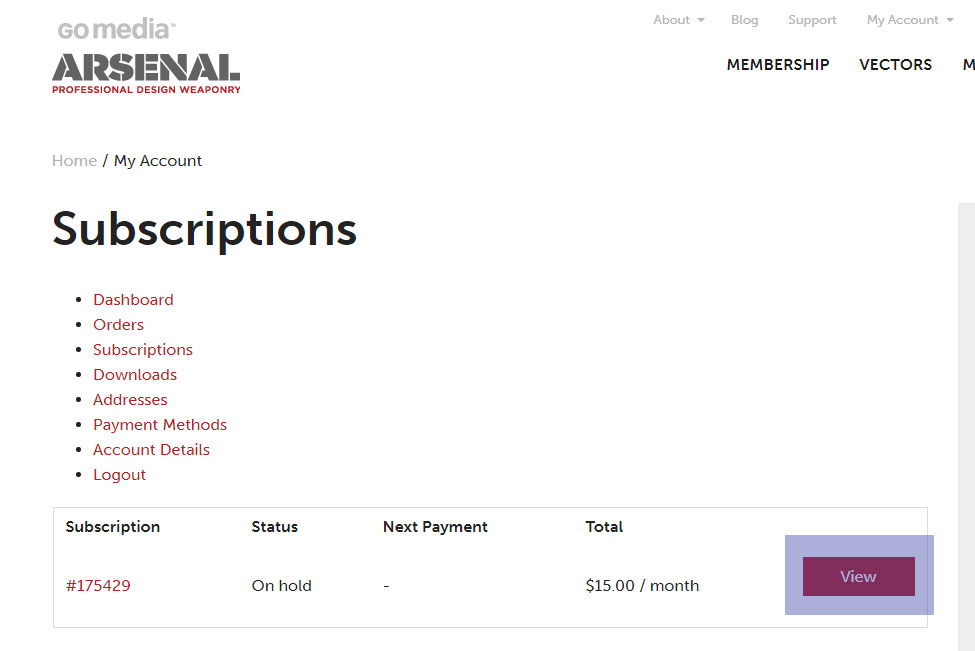
Click on the View button.
STEP 5
Scroll down until you see a button that says “Pay.” Click on that and you’ll be redirected to pay for your subscription with updated billing details. You’re done. Welcome back!
