



Watercolor Font Texture Pack
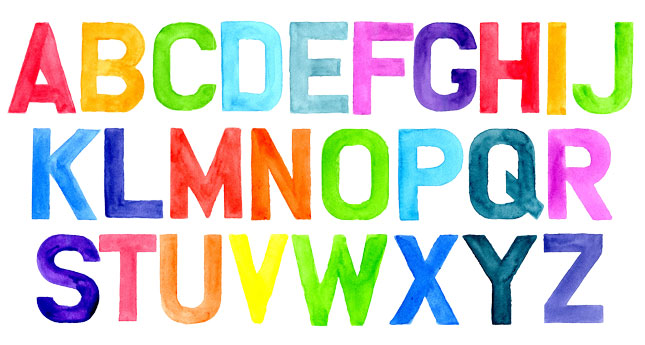
This handcrafted, handpainted pack isn’t your typical font. Saved out as PNG files, the Watercolor Font Texture Pack is to be used like a texture, giving your piece an individually-crafted quality.
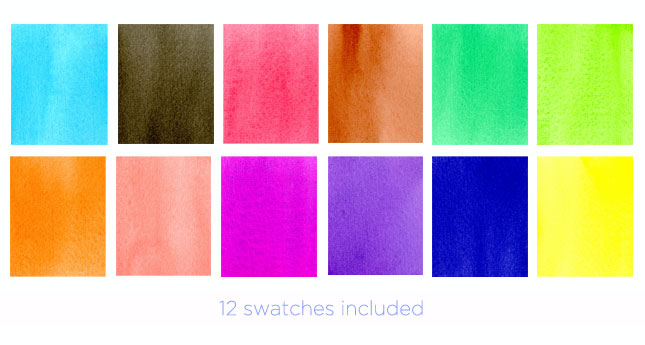
Saved out, as shown above, the letters can easily be individually changed to any color of the rainbow using the swatches included in this pack. Here’s how:
- Simply “file > place” your chosen swatch atop the letter/number of your choice.
- Pressing Shift + Alt, move your cursor between the swatch and letter/number layer of your layers panel. Right click to clip the layers together.
- Merge the layers together
- Use the rectangular marquee tool to select your layer. Paste into your document. You’re done!
- Note: “X” out of this document, without saving. Otherwise, you will have saved over the original letter/number.
Here’s what you get with the Watercolor Font Pack:
- Watercolor Alphabet (Letters A thru Z, plus numbers 0 thru 9) – PNG Files
- 12 Swatches (Jpeg Files)
- Text file (This explains how to apply our swatches to the alphabet)
Please note: All files are stored in PNG format with transparent background and therefore, are not your typical font.


Reviews
There are no reviews yet.